LP-CNN
Setup LP-CNN for SEPIA
- Download LP-CNN from GitHub
- If you haven’t setup LP-CNN in python, following the instruction in https://github.com/Sulam-Group/LPCNN, to create conda environment (see Section Environment Settings in their GitHub page)
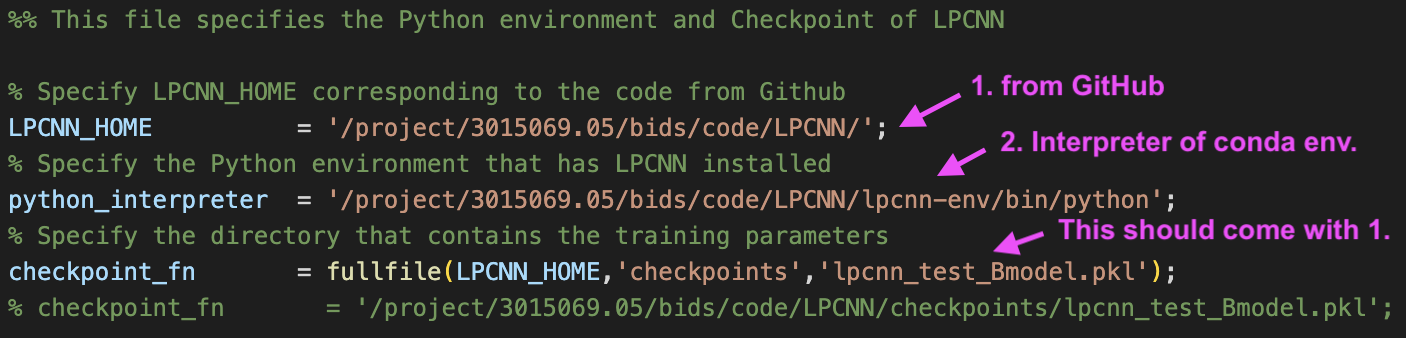
- Specify the full path to LP-CNN code as ‘LPCNN_HOME’ in setup_LPCNN_environment.m in SEPIA_HOME/addons/qsm/LPCNN/
- Specify the full path of the Python interpreter that has LP-CNN installed as ‘python_interpreter’ in setup_LPCNN_environment.m
Your setup_LPCNN_environment.m should look something like this:
Warning
The support this method is still in an early stage and only tested on a Linux machine.
